What to know about the new Apple Invites app

Add Axios as your preferred source to
see more of our stories on Google.
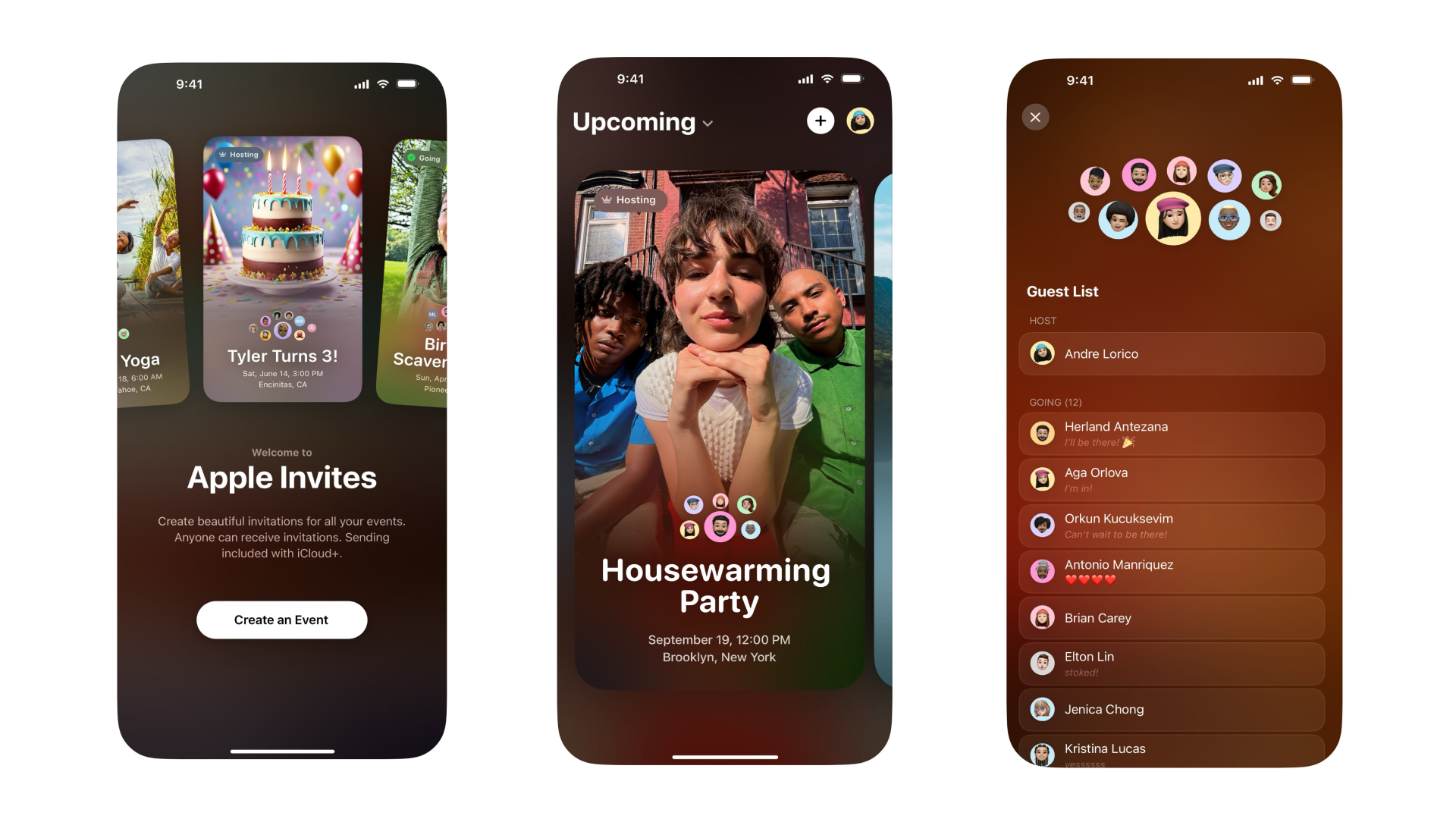
Image: Apple
Apple this week introduced the Apple Invites app to iPhone users with iCloud+ subscriptions, allowing them to create and share custom invitations that anyone can RSVP to, even if they don't have an Apple account or device.
Why it matters: With Apple Invites, the company further encourages its users to remain within the Apple ecosystem, reducing the need to flock to RSVP sites like Eventbrite, Evite and Partiful while driving subscriptions to its products.
Zoom in: The Apple Invites app is currently the most downloaded free app in Apple's app store, above ChatGPT and DeepSeek.
- To create an invitation, a user must be an iCloud+ subscriber, with plans starting at just $0.99/month. For example, you can create an event for a Super Bowl potluck or a housewarming party.
- Hosts can view and manage their events, share invitations with a link, review RSVPs and withhold certain details until guests are confirmed.
- Attendees are able to control how their details show up to others, and have the ability to leave or report an event at any time.
- To download the app, users must be running iOS 18 or later.
How it works: To create an event, tap the plus button on the top right of the Apple Invites app.
- This will bring you to a screen where you can set the name of the event, add details about when and where it's taking place, and include a description with a 1,000-character limit.
- You can also choose to create a shared photo album for the event and share an Apple Music playlist with participants. Android users will need to sign up for an Apple account to view the photo album if you add one, and everyone will need an Apple Music subscription to listen to your playlist.
- Tap the preview button on the top right to see how the invitation will look to other users.
- Tap next to prepare the invitation. You will have the option to invite specific guests from your contacts list or share a public link, which includes the ability to approve guests.
Fun fact: If you host re-occurring events, you can open your invitation, tap the three dots at the top-right corner and choose Duplicate to recreate the event's time and location. You'll need to add the guest list again.
Go deeper: Apple Intelligence spurs iPhone 16 sales
